
Voice Recording
Voice Recording
The Voice Recording feature allows you to quickly capture and save audio notes linked to specific practices. It helps you record updates on the go, review them instantly, and store them securely for future reference.
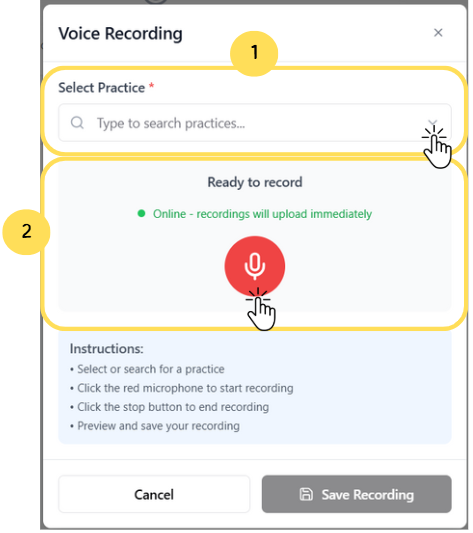
1. Choose or search for the practice where the recording will be linked.
2. Click the Red Microphone button to begin recording and upload instantly.
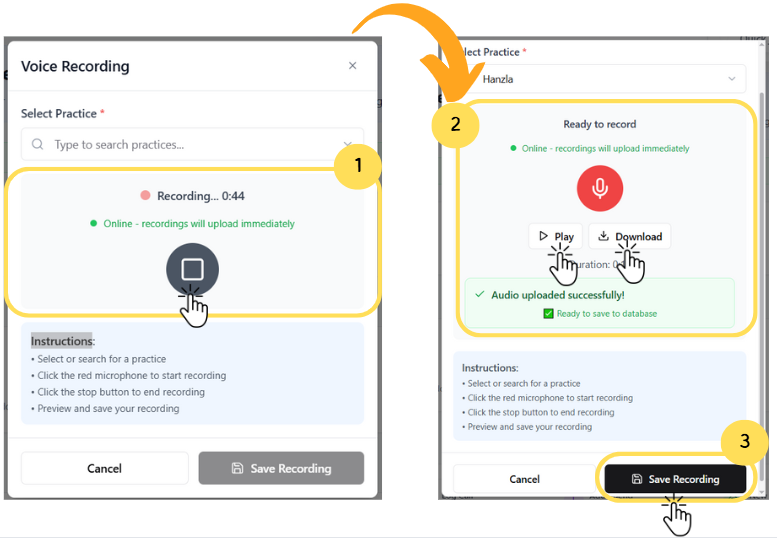
1. Click the Stop button to end the ongoing voice recording.
2. Use the play button to review or download the recording before saving.
3. Click Save Recording to store the audio against the selected practice.
