
Next Best Action
Next Best Action
The Log Outreach Activity feature helps you keep track of all upcoming and completed outreach actions linked to practices.
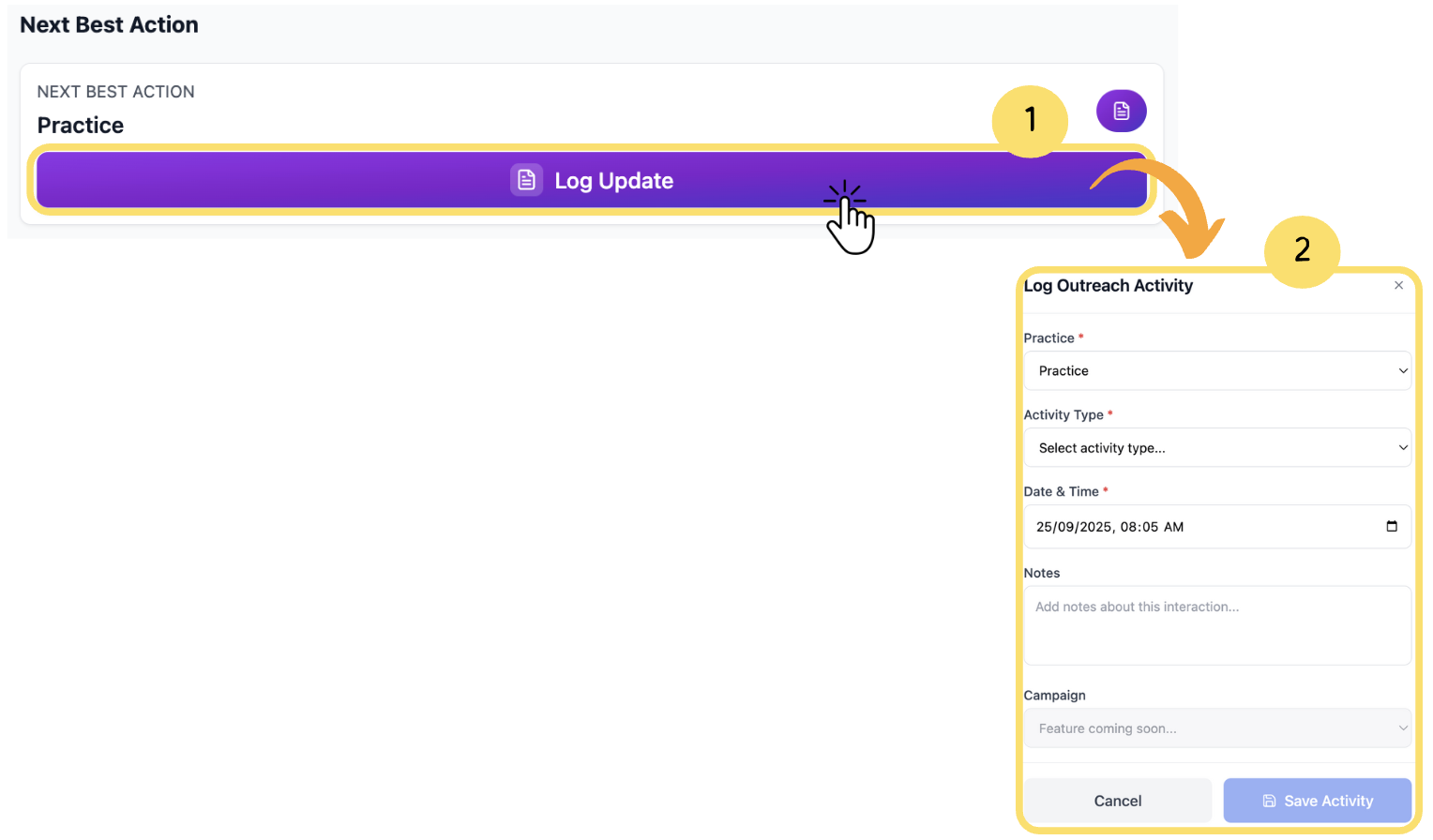
Shows the practice that requires the upcoming action.
Click on Log Update to proceed.
Log Outreach Activity form will appear.
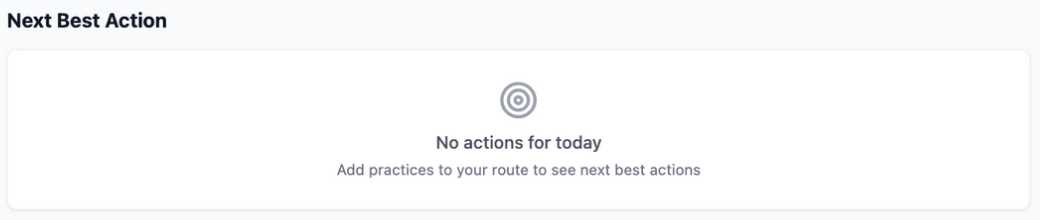
If no pending action exists, it will display “No action for today”
How to fill Log Outreach Activity:
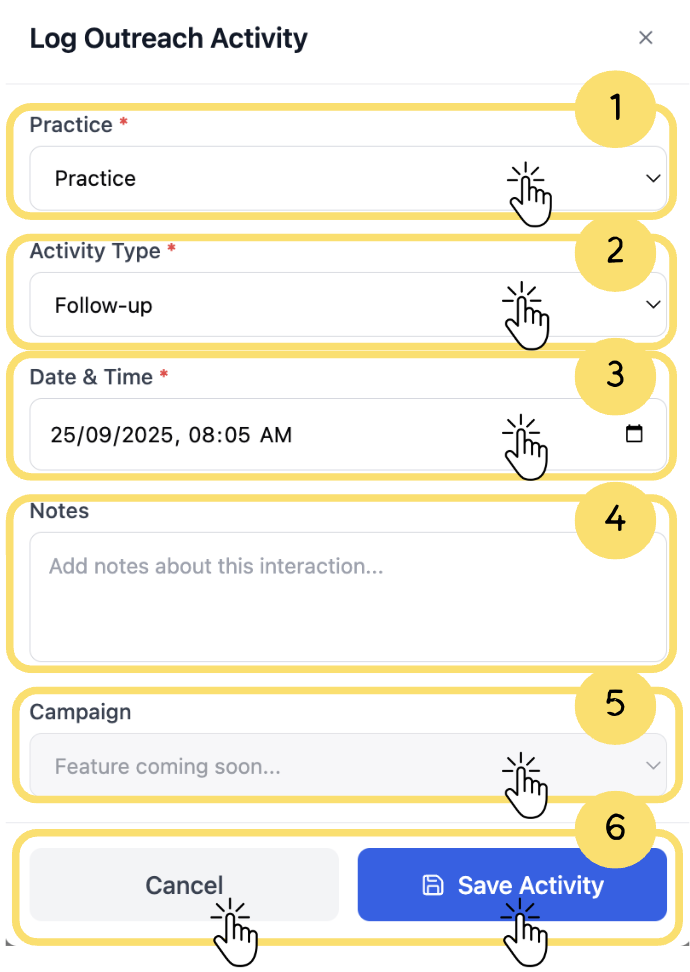
Practice(required): Click on Practice to select practice from dropdown.
Activity Type(required): Click on Activity Type to choose activity type from drop down (e.g call, visit, follow up).
Date & Time(required):Select the date and time of the activity.
Notes: Add any relevant notes for reference.
Campaign: Select a Campaign if you want to link the activity with a specific campaign.
This functionality is coming soon in future updates.
Cancel or Save Activity: Click Cancel to discard activity, or click Save Activity to update the changes in practice.
You cannot Save Activity unless mandatory fields are filled.
