
Announcements > New Announcement
New Announcement
The New Announcement option allows users to generate and deliver new organizational announcements.
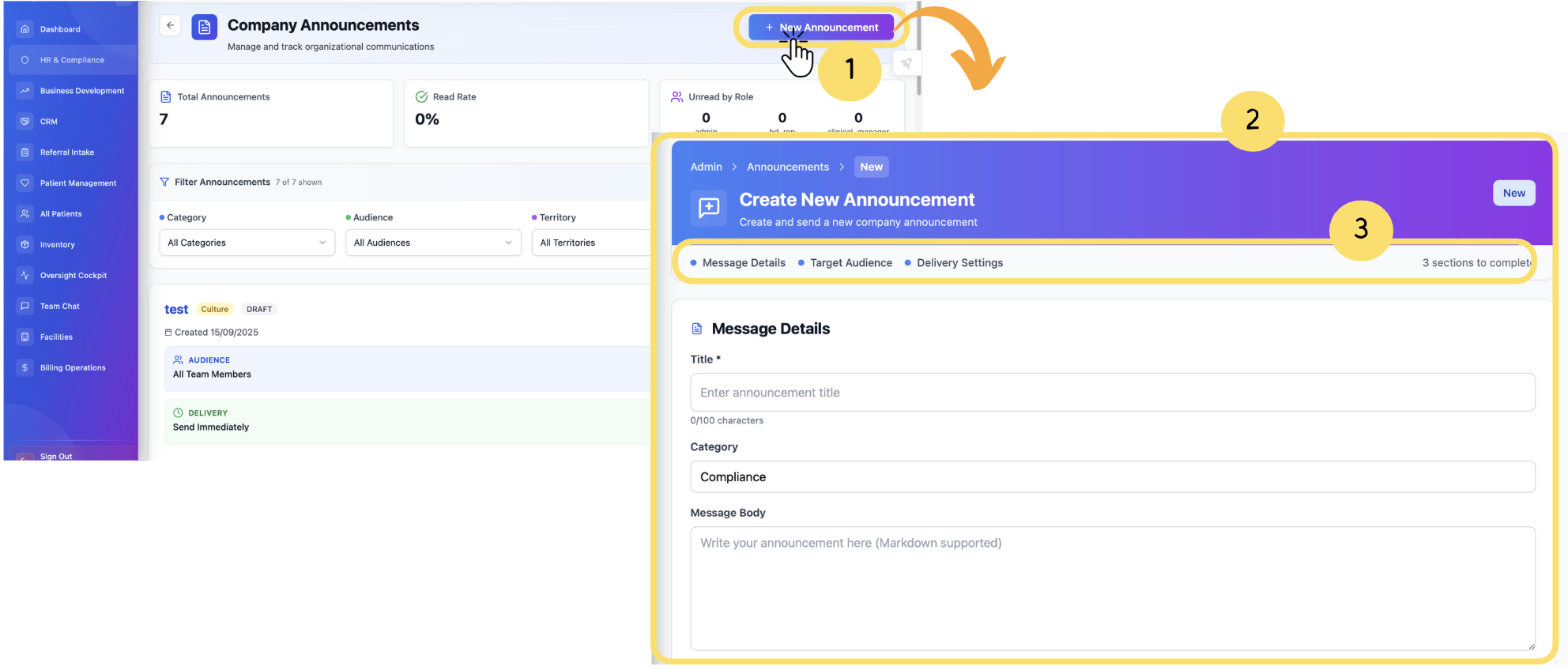
To create an announcement:
Click on “New Announcement”.
The New Announcement creation form will appear.
Enter the required details under the sections, including message details, target audience and delivery settings.
Cancel or Send Now
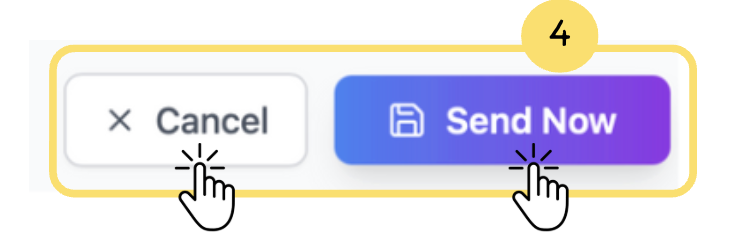
Once all the fields are filled out with their required fields click on Cancel to discard changes or Send Now to publish the announcement.
How to fill out new announcement details
Message Details:
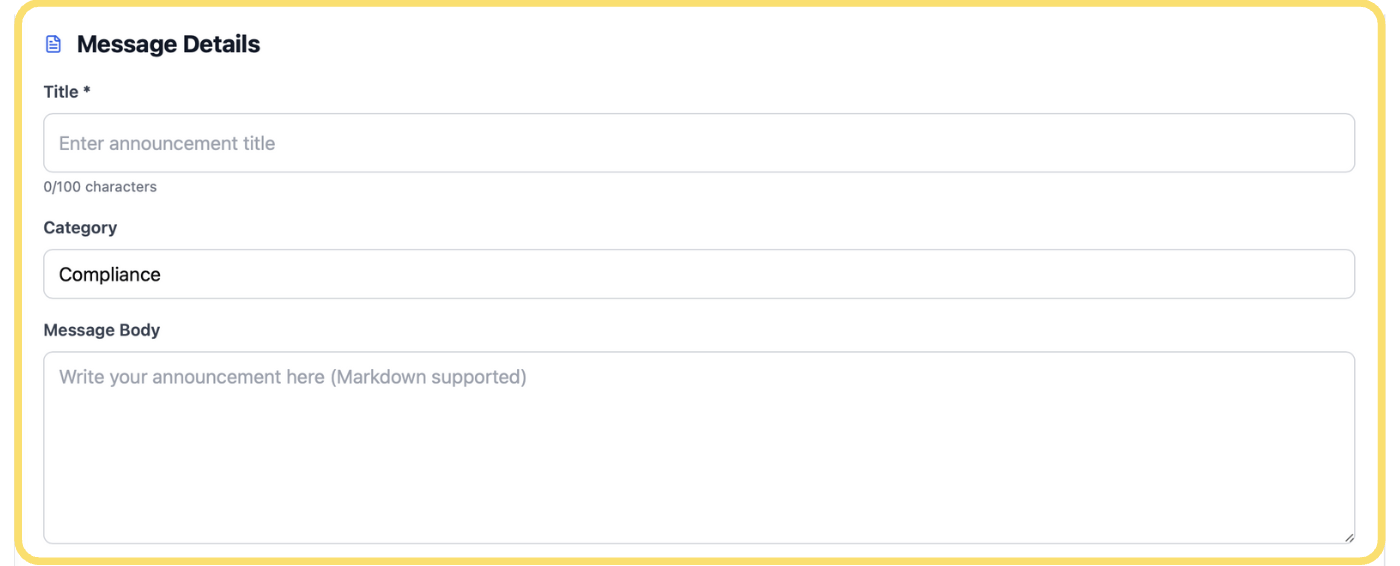
Message Details– This section allows users to create or edit an announcement by entering a title, selecting a relevant category, and writing the message content.
Target Audience:
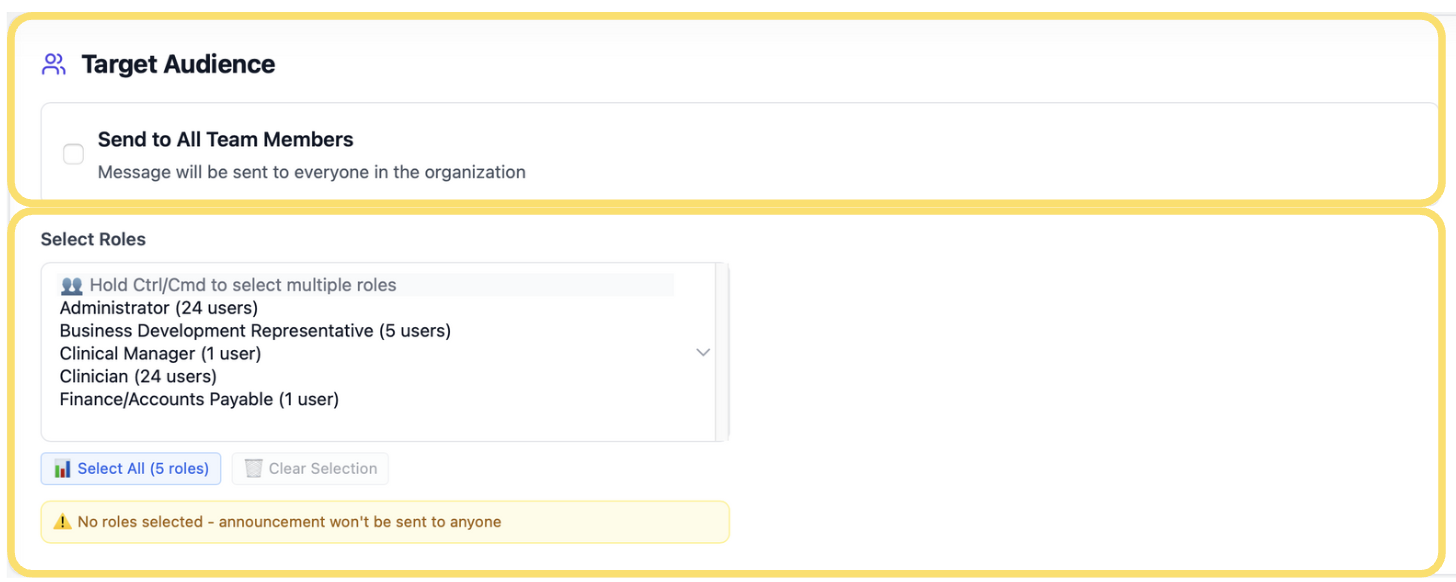
Target Audience– This section lets users define who will receive the announcement. You can choose to send it to all team members or select specific roles within the organization. The selection panel supports multiple roles, allowing precise targeting while ensuring that no announcement is sent if no role is selected.
Delivery Settings:
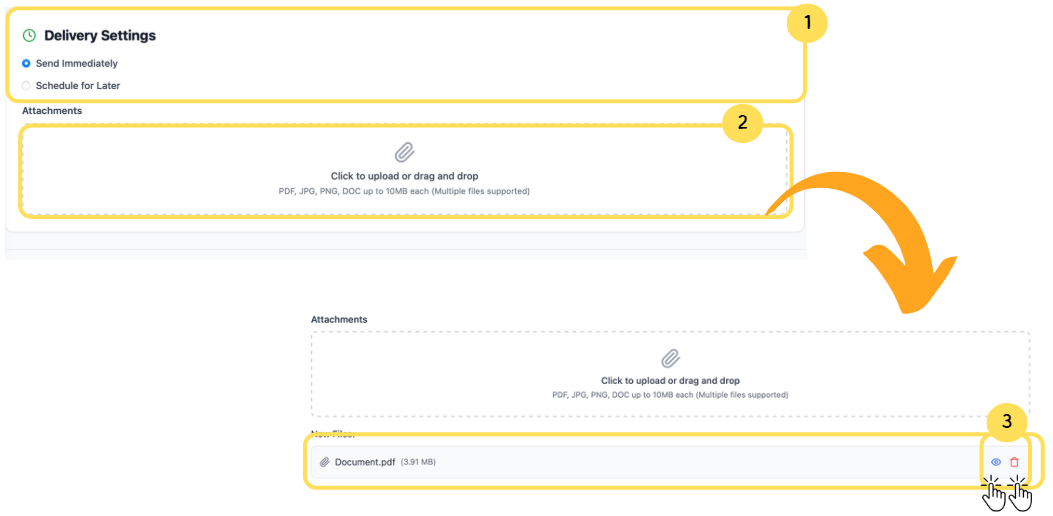
Delivery Settings– Lets users choose whether to send the announcement immediately or schedule it for a later time.
Attachments– Allows users to upload or drag and drop supporting files (e.g., PDF, JPG, PNG, DOC) to include with the announcement.
File Actions– Provides options to view or remove uploaded files before finalizing the announcement.
