
Practice Details > Edit Practice
Edit Practice
This section allows users to access practice information and make edits where necessary.
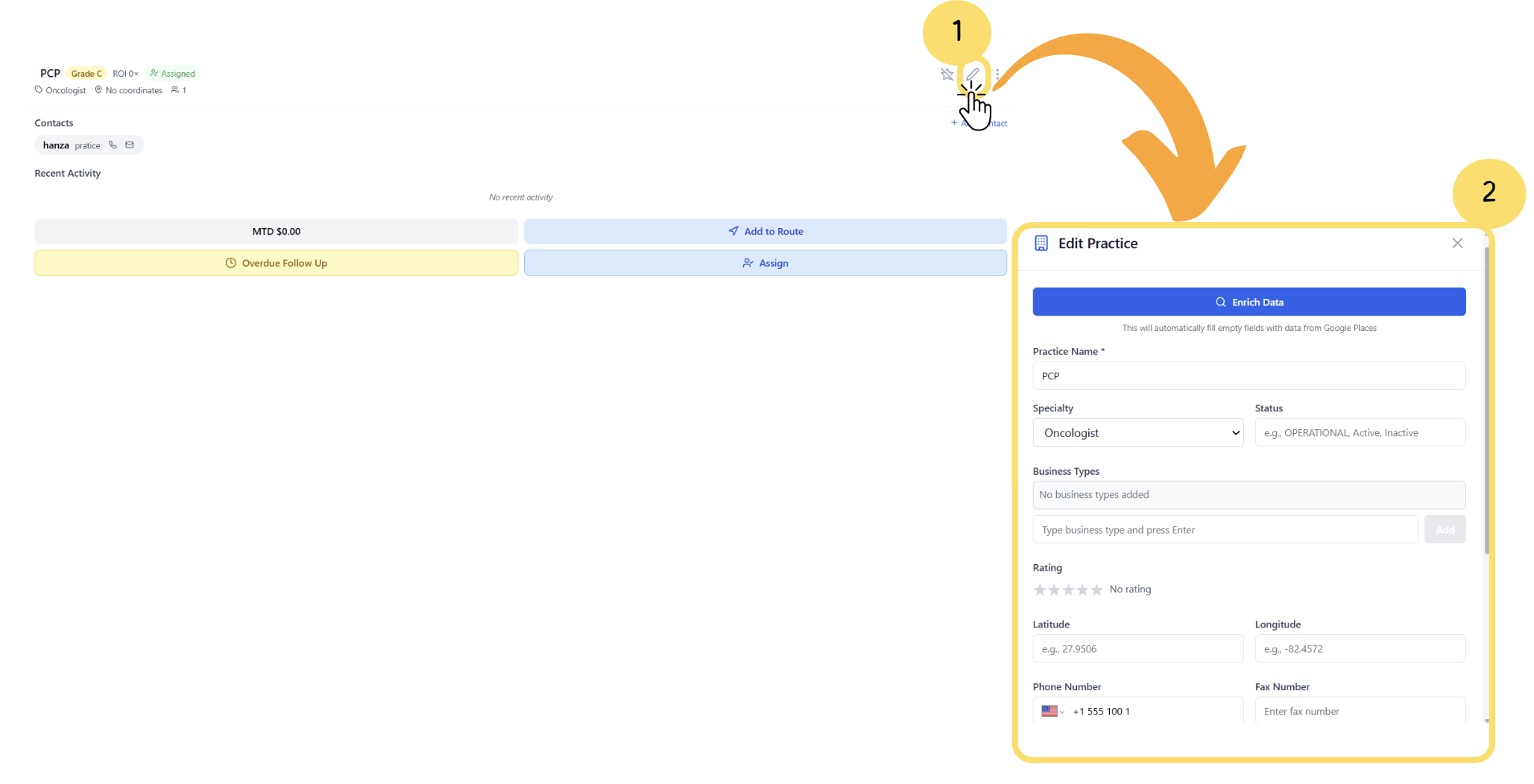
In the Practice Card Details, click on the Edit option.
The Practice Editable Form will appear, allowing you to update the practice information.
Edit Practice Form
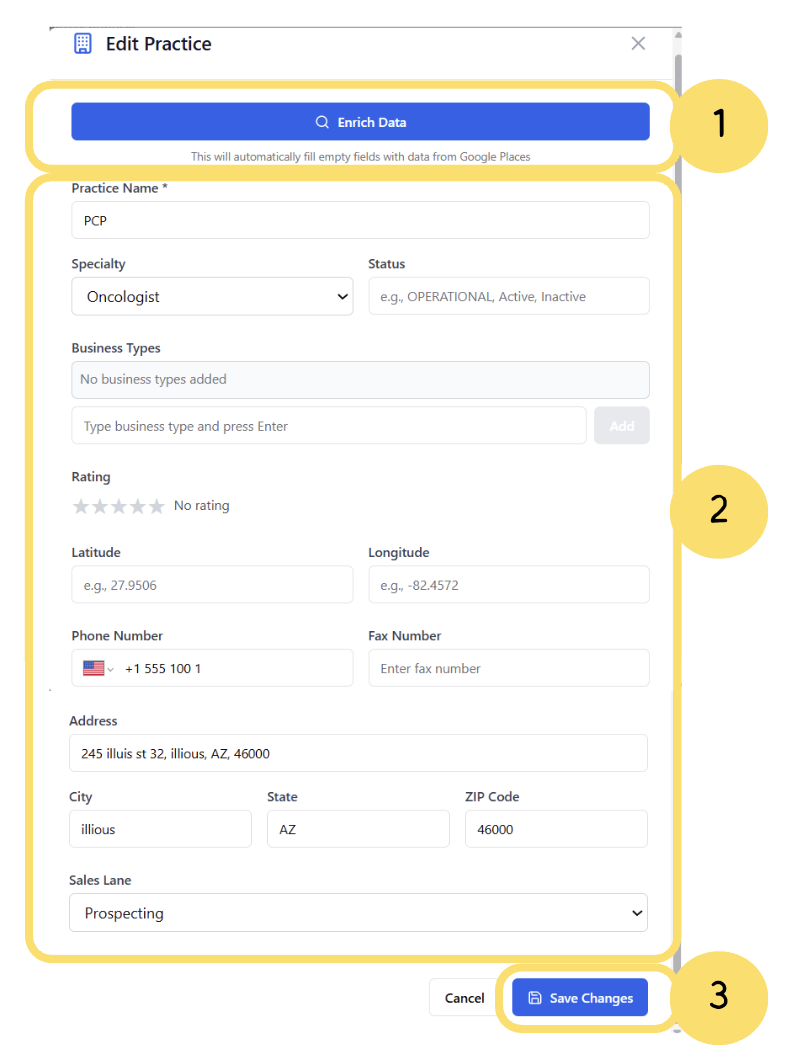
Enrich Data– Click this button to automatically populate missing fields using verified information from Google Places, ensuring accurate and complete practice details.
Update Practice Information– Review and edit all practice fields, including specialty, status, business types, contact details, address, and geographic coordinates.
Save Changes– After making updates, click Save Changes to apply and store all modifications to the practice record.
