
Announcements > Compose Announcements
Compose Announcements
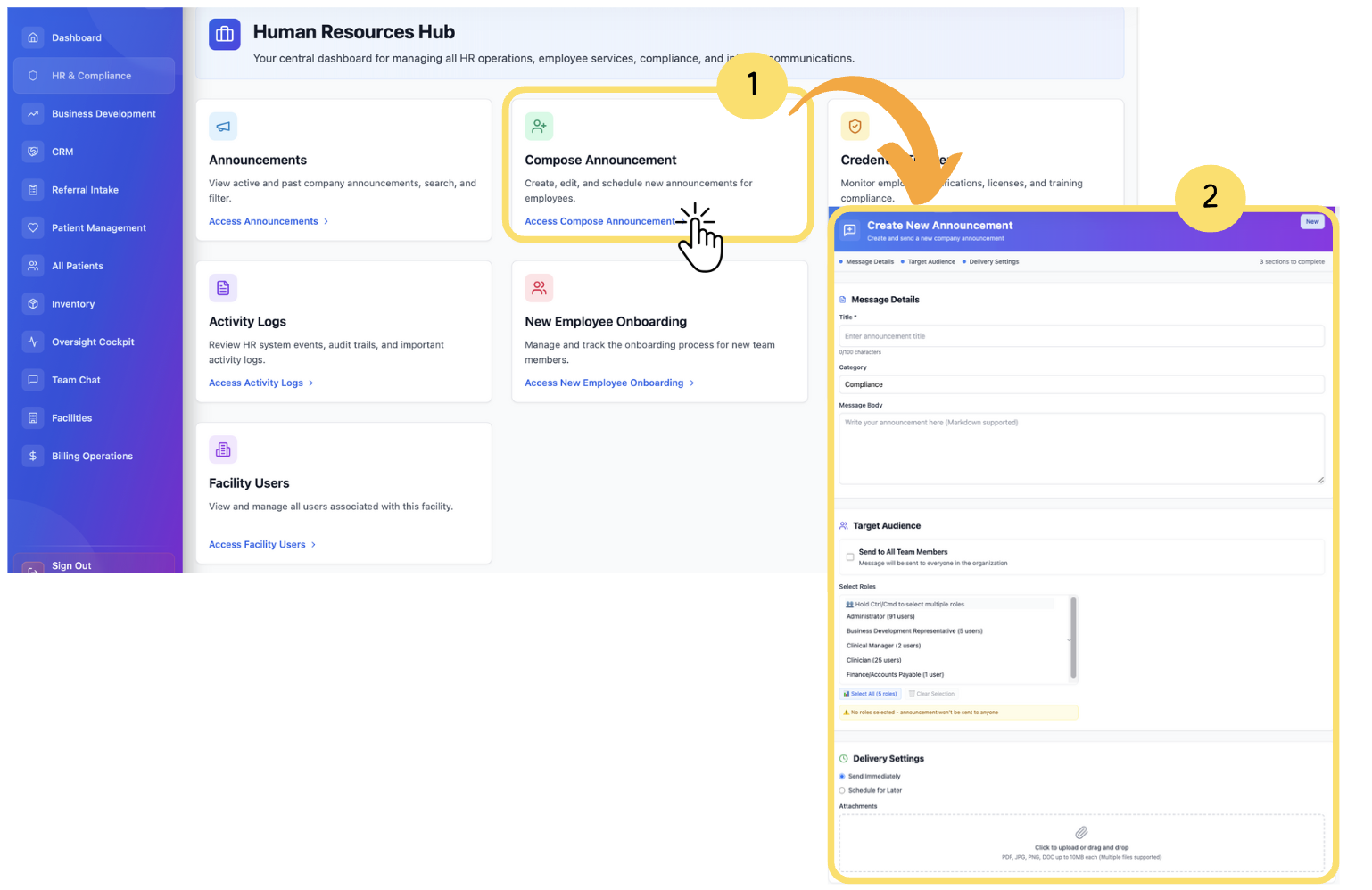
From the Announcements screen, click on “Compose New Announcement.”
The Compose window will open.
Title– Add a clear and concise subject for the announcement.
Description– Enter the full message content in the text editor provided. You can format text using bold, italics, bullet points, and other rich text features.
Audience– Choose the target audience from the dropdown menu:
All Users
Specific Role(s)
Specific Facility(s)
Attachment (optional)– Click Upload File to include any supporting document (PDF, image, etc.).
After filling in all required fields, click “Publish” to immediately send the announcement.
You can also click “Save as Draft” to send the announcement later.
More Information
To learn more about this section and the fields, please visit the New Announcements page
