
Announcements
Announcements
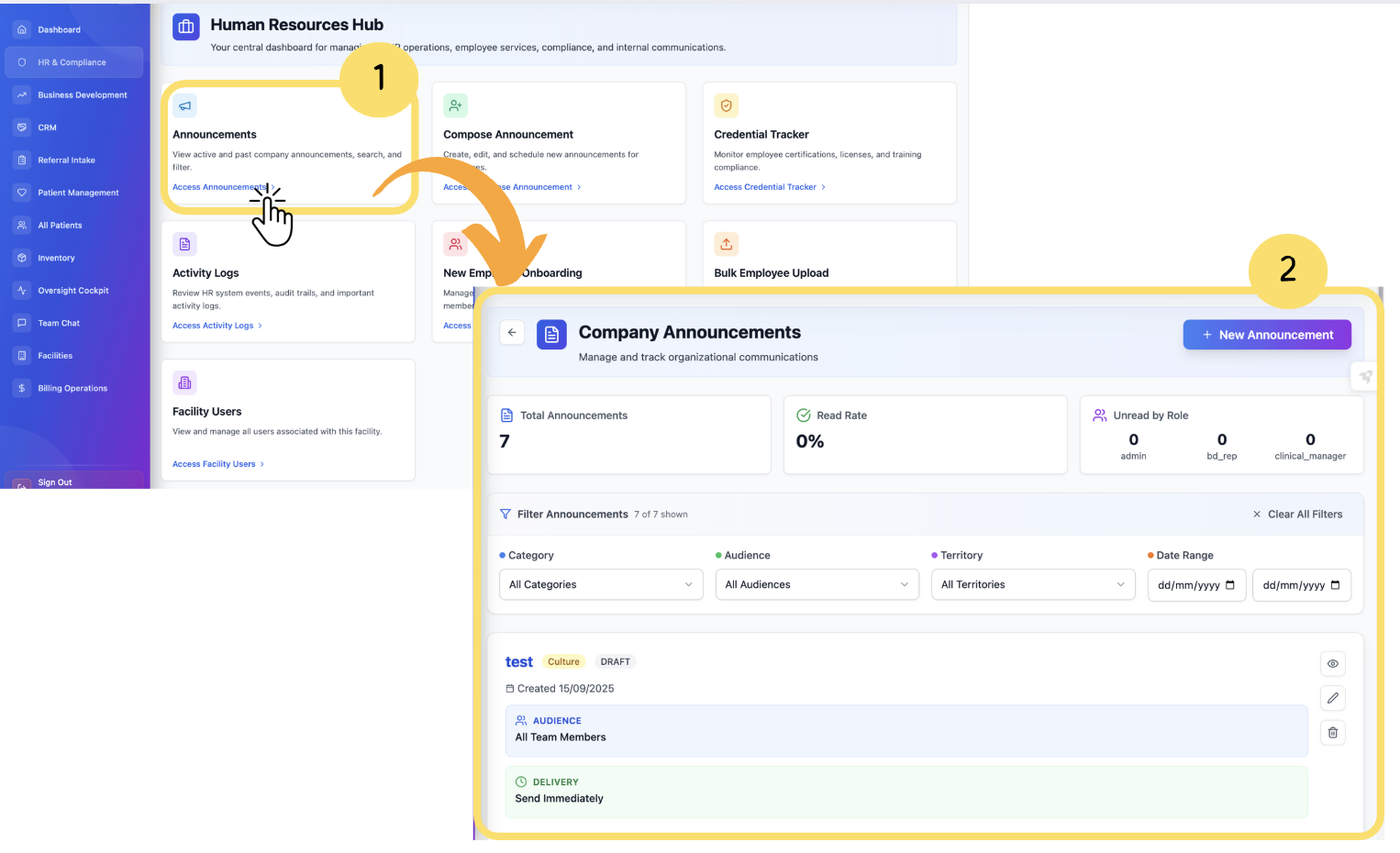
From the Human Resources Hub, click “Announcements.”
You will be directed to the Announcements dashboard, where you can:
View all active and past announcements.
Search announcements using keywords.
Filter announcements by type or date.
View the publishing date and author.
Click on an announcement to view full details.
Use the Compose New Announcement button to create a new message.
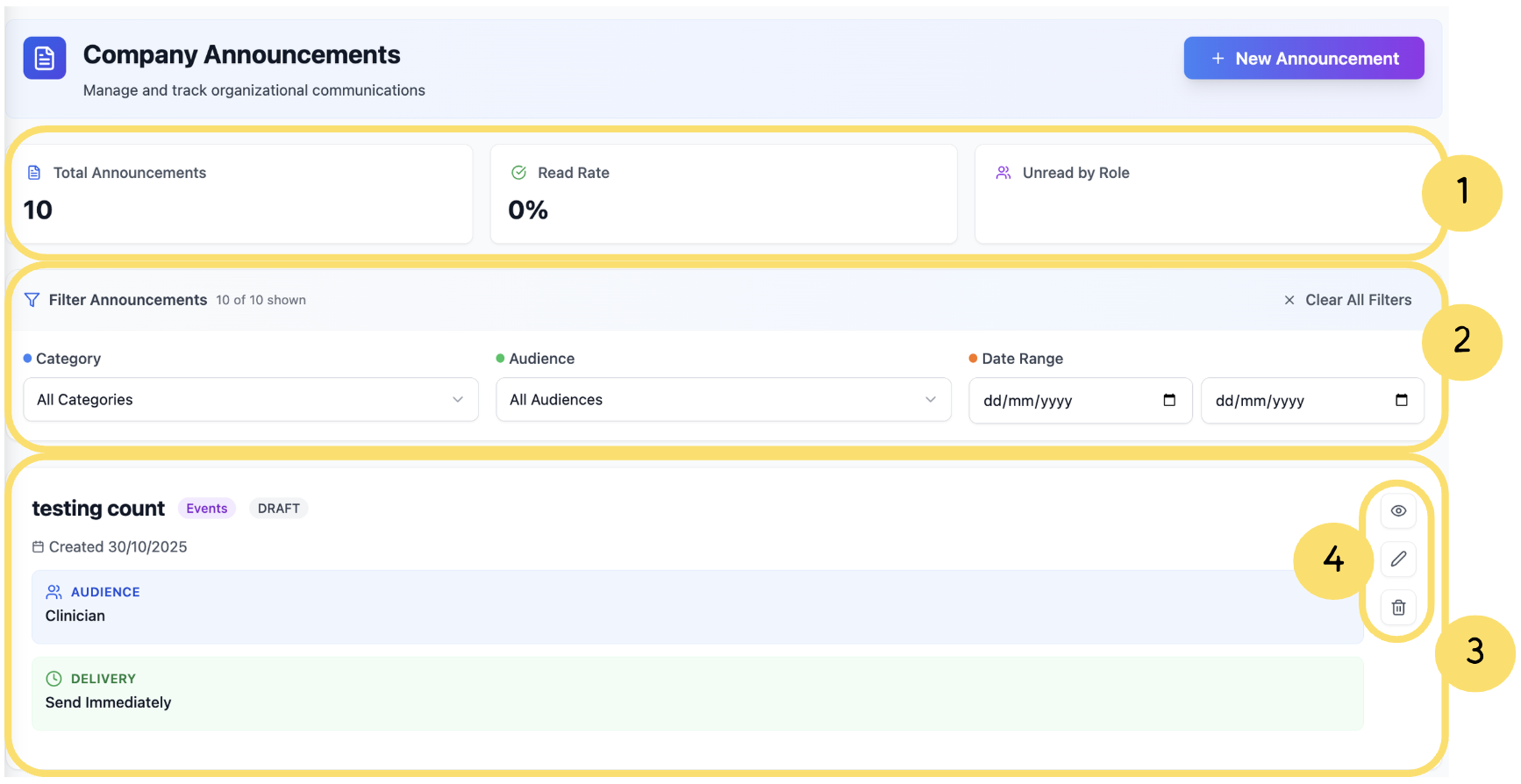
Dashboard Summary Panel– Displays key metrics such as total announcements, read rates, and unread counts to track overall communication performance.
Filter & Search Section– Allows users to quickly narrow announcements by category, audience, or date range for easier navigation and management.
Announcement List Section– Shows all announcements with essential details like title, audience, delivery type, and current status.
When No Announcements Are Found
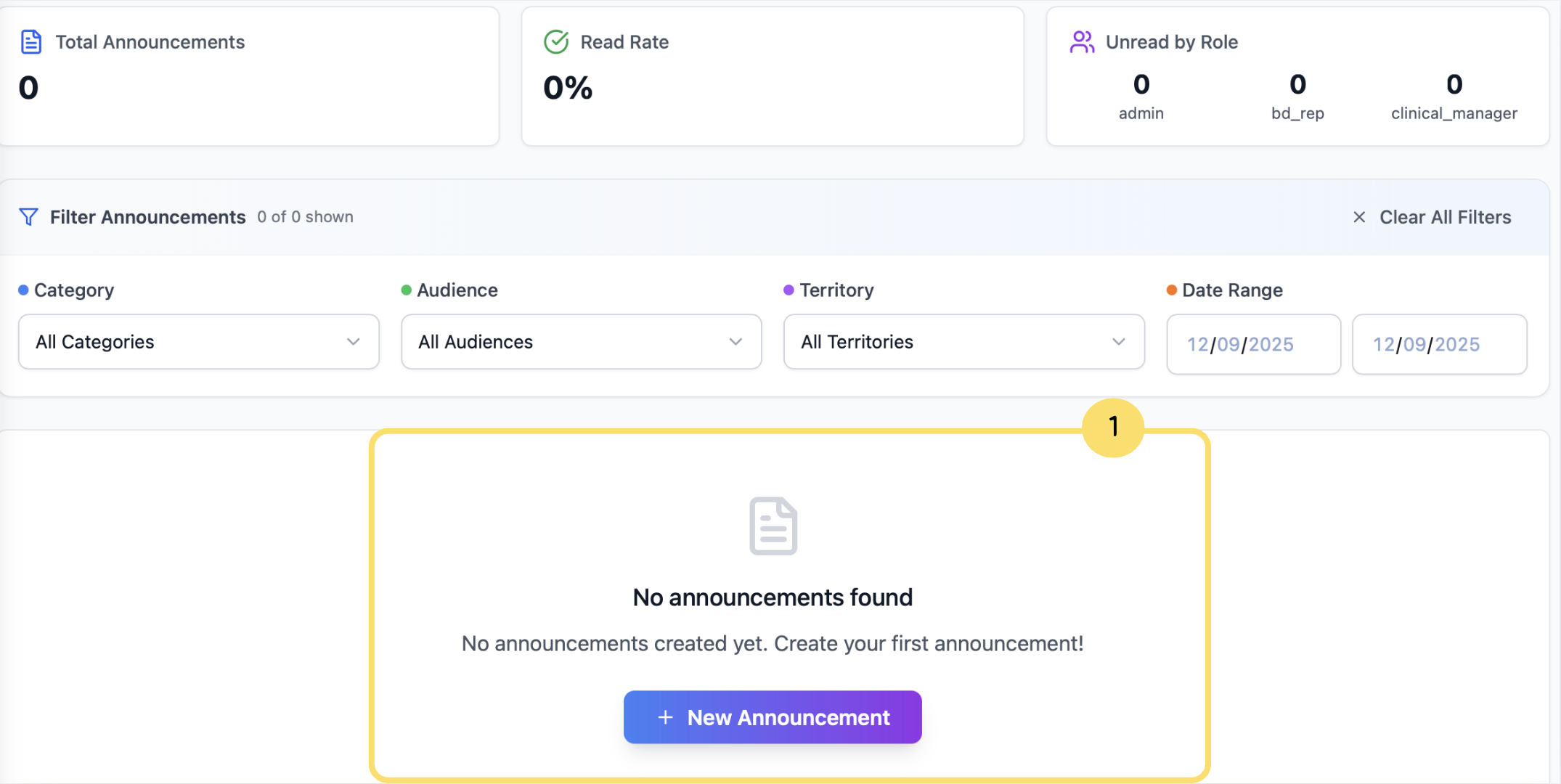
If no announcements are available, the Announcements List section will display “No announcements found." In this case, users will also have the option to create a New Announcement directly from the page.
Action Controls– Provides quick options to preview, edit, or delete individual announcements directly from the list view.
