
Credential Tracking > Add New Credential
Add New Credential
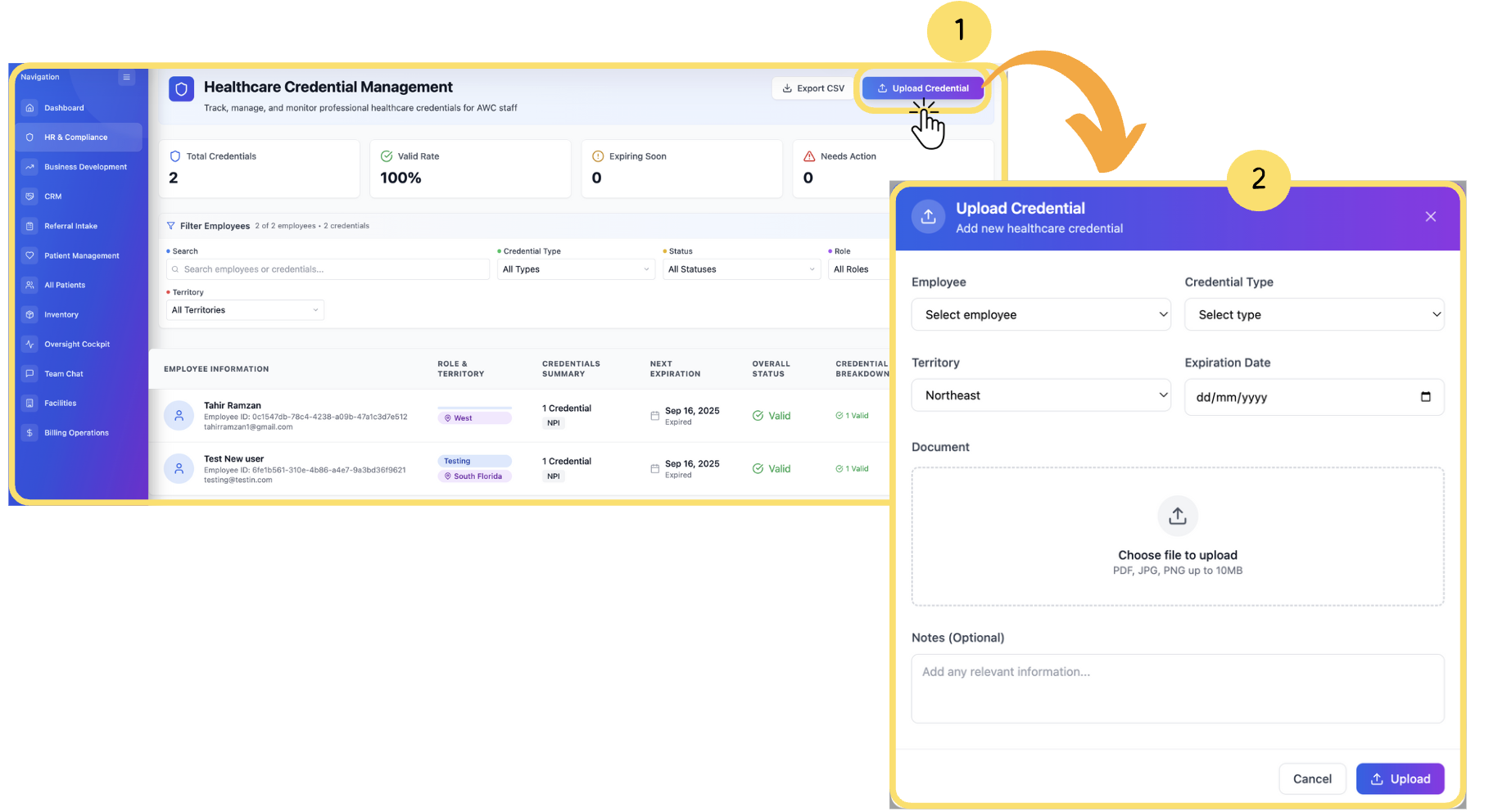
To add a new healthcare credential:
Click Upload Credentials at the top right of the Credential Management screen.
The Upload Credential form will appear.
If you were redirected here from another screen, you can skip step 1.
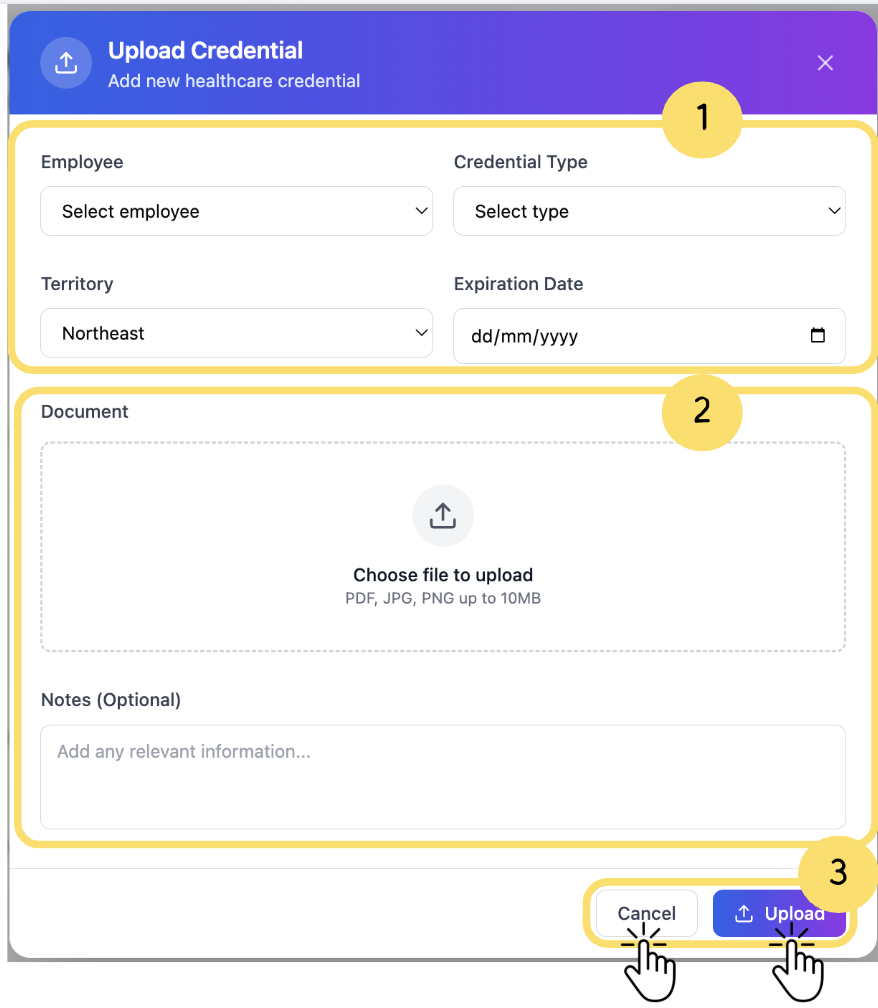
Complete the following sections in the form:
Credential Details: Select the employee, credential type, territory, and expiration date.
Document Upload: Attach the credential document (PDF, JPG, or PNG). You can also add optional notes to clarify the upload.
Action Buttons: Click Upload to save the credential, or Cancel to exit without saving.
