
Activity Logs
Activity Logs
The Activity Logs section provides a clear, chronological view of all HR-related system events and user actions.
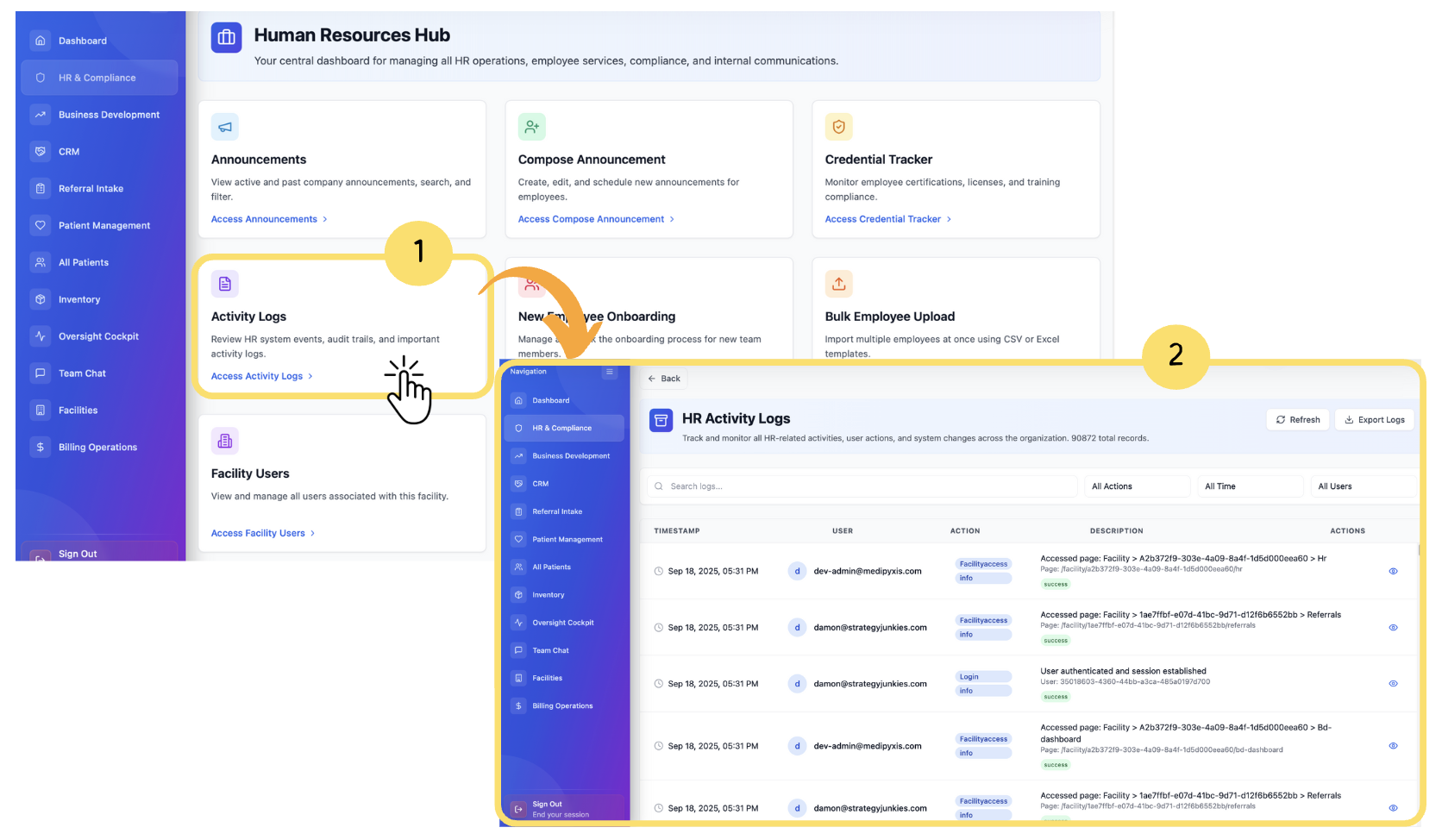
From Human Resource Hub Click on Activity Logs.
The Activity Log Dashboard will appear, where you view and track all recorded activities performed within the system.
This module is crucial for tracking accountability and maintaining compliance within the HR system
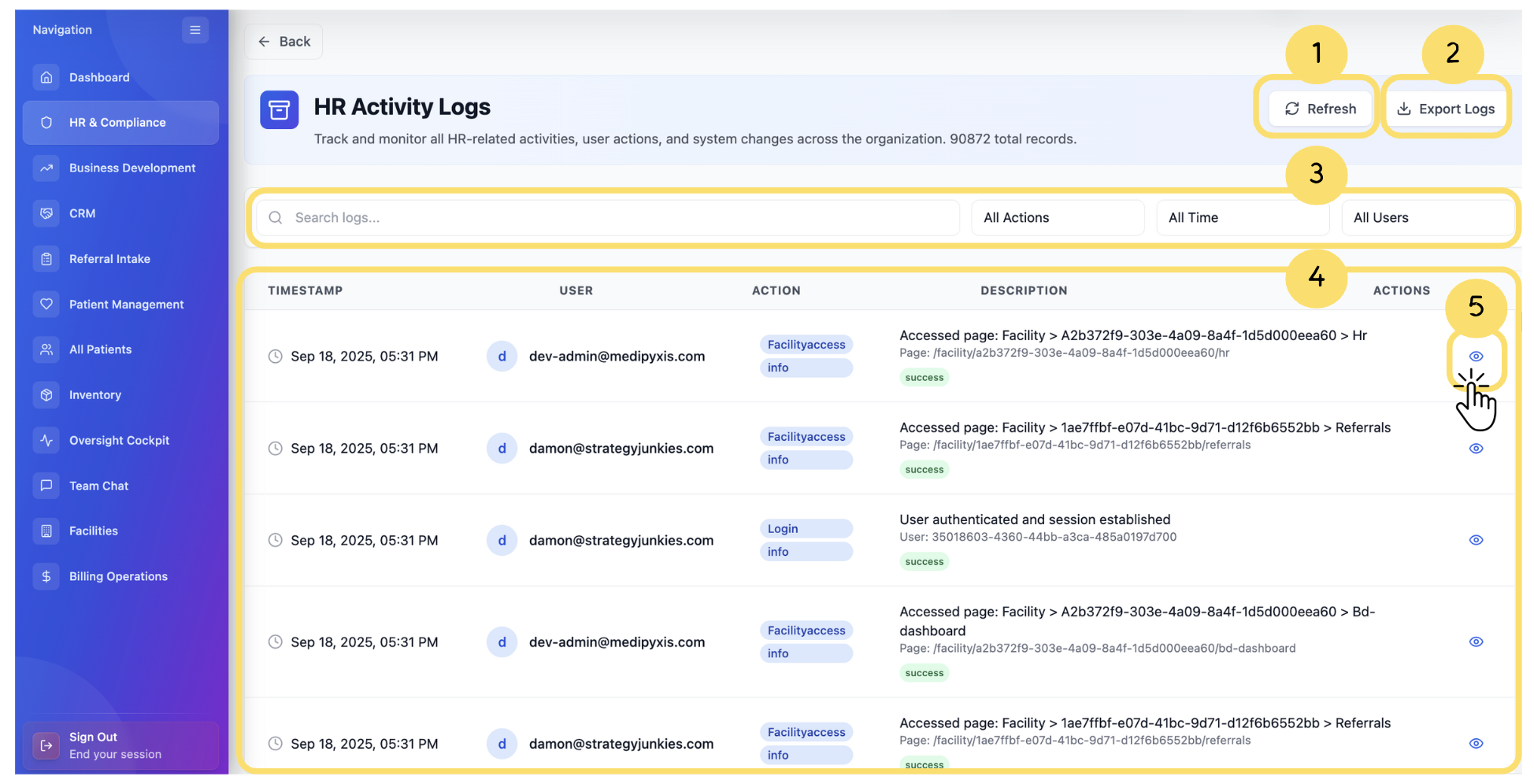
Key functionalities include:
Audit Trail Access: View a detailed timeline of actions taken by system users (e.g., logins, updates, deletions).
Filter Logs: Easily filter logs by action type, user, or date to pinpoint specific events.
Compliance Review: Supports internal reviews and external audits by maintaining transparency of all system-level interactions.
